Our Features
myDox Features
myDox brings together powerful document management capabilities and seamless medical record access in one secure, intuitive platform. Designed for today’s families, our features help you organize, access, and share important documents exactly when you need them.
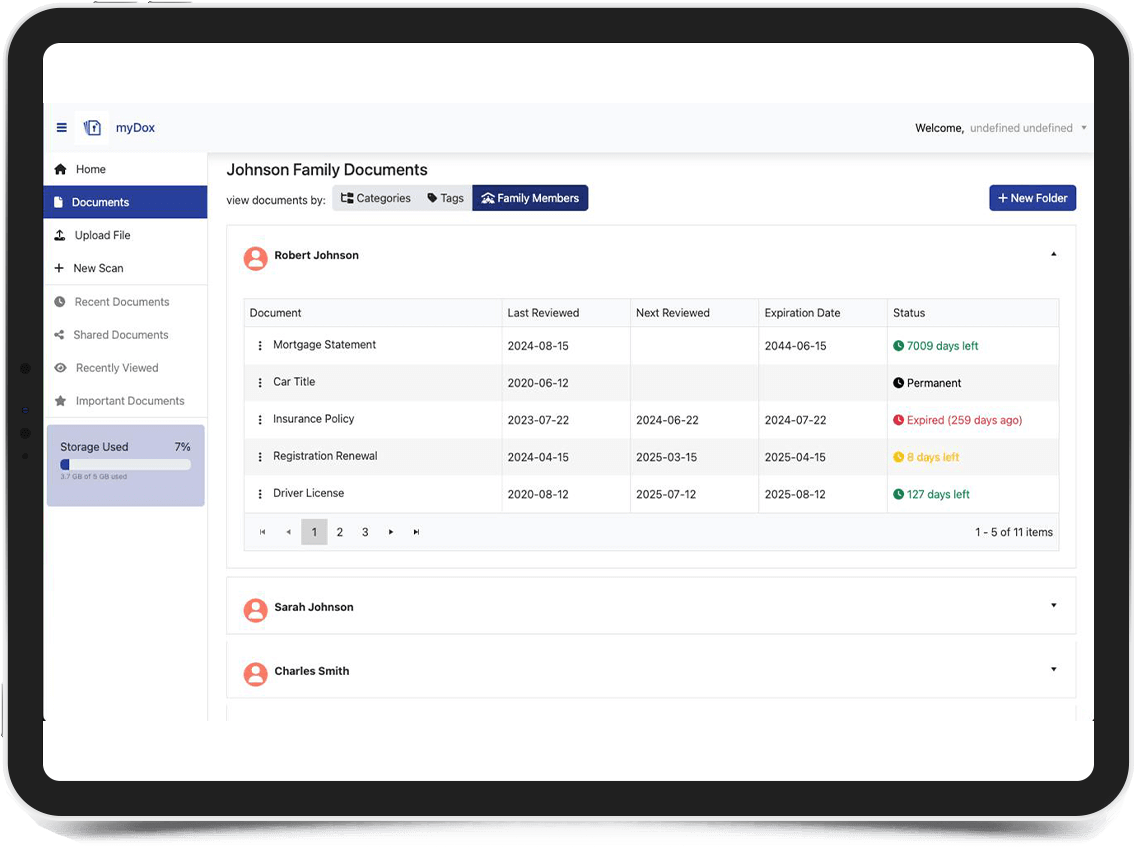

Customizable Access Controls

Organize and Share Medical Records

Security & Compliance
Time-Based Sharing
Single-Session Access: Create one-time access links that expire after viewing for maximum security when sharing sensitive documents
Scheduled Access Windows: Set specific start and end dates for document access, perfect for temporary consultations with professionals
Time-Limited Sharing: Share documents for specific durations (24 hours, 7 days, 30 days) with automatic expiration
Recurring Access Periods: Schedule regular access for ongoing professional relationships, like quarterly meetings with financial advisors
Emergency Access Protocol: Pre-authorize emergency access to vital documents that activates only when needed
Permission Levels
View-Only Access: Share documents that can be viewed but not downloaded, printed, or copied
Download Permissions: Control whether recipients can save documents to their own devices
Annotation Rights: Allow specific users to add notes or comments without changing the original document
Edit Capabilities: Grant full editing rights to trusted family members for collaborative document management
Admin Privileges: Designate family administrators who can manage documents and access for others
Document-Specific Controls
Individual Document Sharing: Share specific documents without providing access to entire folders or categories
Custom Document Bundles: Create and share collections of related documents for specific purposes
Category-Based Access: Set default sharing permissions based on document categories
Sensitivity Levels: Assign different security requirements to documents based on sensitivity
Document Expiration Settings: Set documents to automatically expire or require review after specific time periods
User Management
Role-Based Access: Assign predefined roles to family members, healthcare providers, or other trusted contacts
Guest Access Management: Create limited accounts for one-time or occasional document sharing
Group Permissions: Manage permissions for groups (medical team, legal advisors, family) rather than individuals
Access Request System: Allow trusted contacts to request access to specific documents
Delegated Administration: Enable trusted family members to manage document access for others
Access Monitoring
Real-Time Notifications: Receive alerts when documents are viewed, downloaded, or shared
Access Logs: View detailed history of who accessed which documents and when
Failed Access Attempts: Monitor and receive alerts about unauthorized access attempts
Usage Reports: Generate comprehensive reports on document access and sharing patterns
Activity Dashboard: See all document activity at a glance with visual reporting tools
Revocation Controls
Instant Access Termination: Immediately revoke access to any shared document with one click
Batch Revocation: Remove access for multiple documents or users simultaneously
Automatic Expiration: Set access to expire automatically after designated periods
Graduated Access Reduction: Step down access levels gradually rather than removing completely
Revocation Notifications: Alert users when their access to documents has been modified or removed